
Microsoft has been offering its users free upgrade to Windows 10 for a while now. Given you have a Windows 10 license, Microsoft allows you to install its latest operating system’s ISO files for free. With a Windows 10 ISO, you can easily install a fresh copy of Microsoft’s latest OS on any of your Windows PC.
- Just go to the Windows 10 download page and click the blue Download tool now button. If you’re on a computer running Windows 7, 8, or 10, you will be offered the Windows 10 Download Tool.
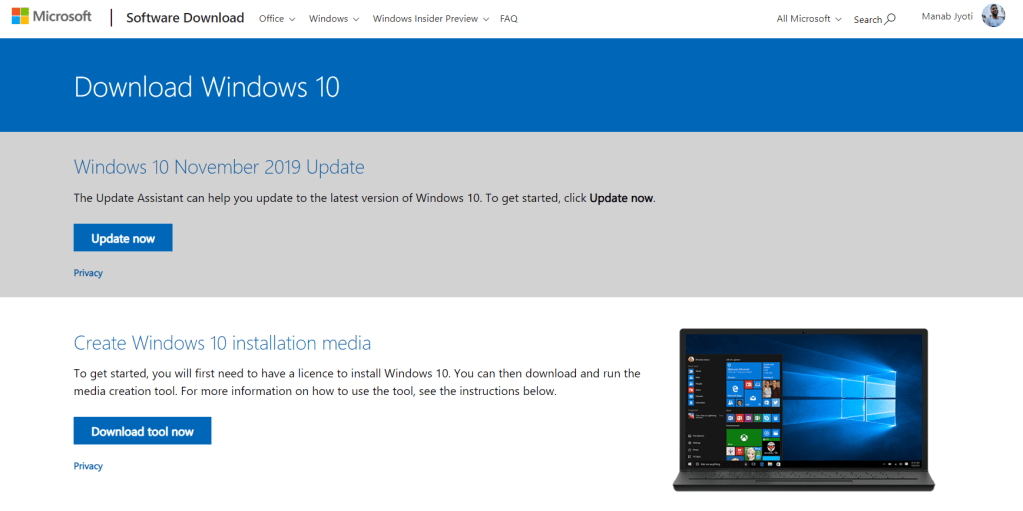
However, in this article I am going to show you a much simpler way to download the standalone ISO without having to deal with the Microsoft Update Tool or the Download Tool. You don’t need to provide any license key either.
- Just visit the same link mentioned above with your Android or iOS smartphone. You will be taken to the Download Windows 10 page, but this time things will look a bit different.
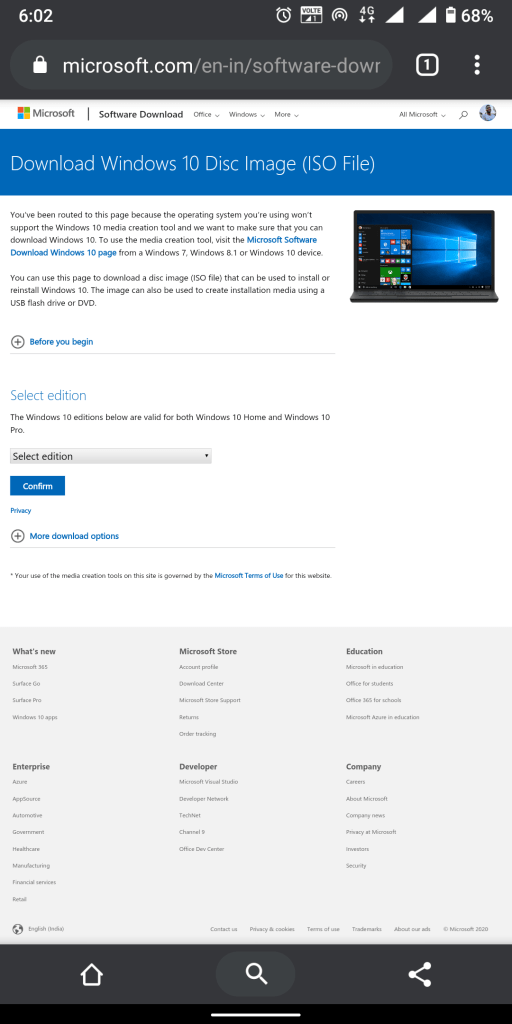
This time you can straightaway select the edition of Windows 10 you want to download. Select your preferred edition and proceed.
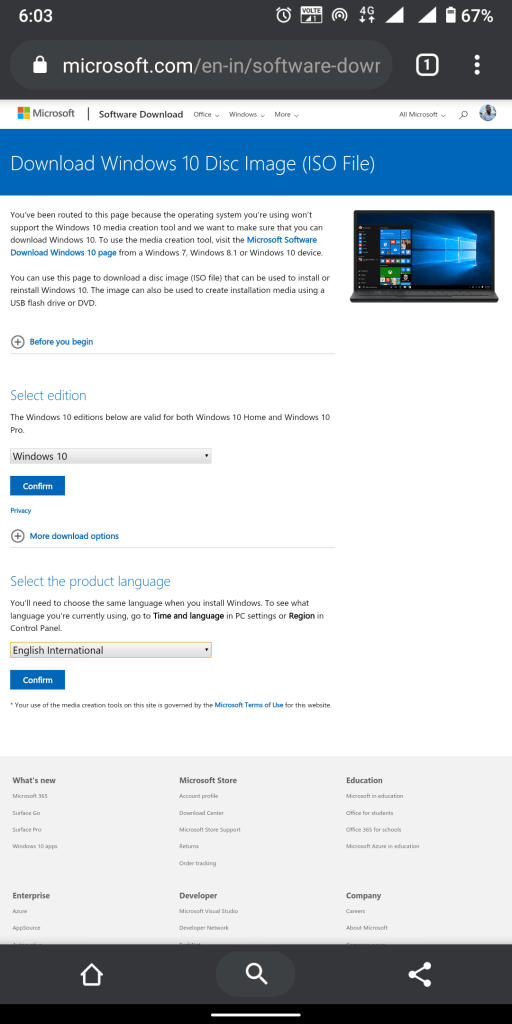
This step is as simple as you choosing your preferred language. Select your language and confirm.
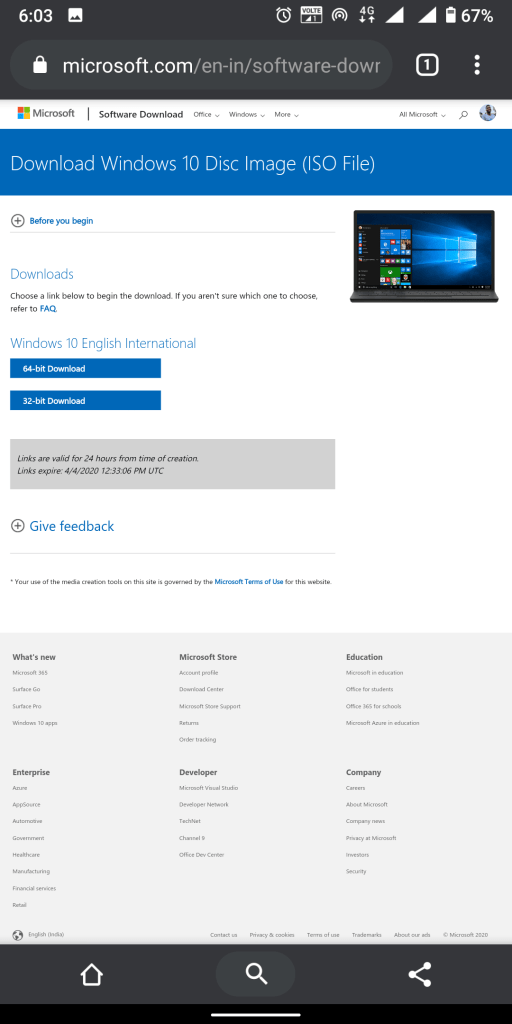
In the final step, you are required to choose between either the 32-bit version or the 64-bit one. Most of the modern computers are equipped with 64-bit processors and if your PC has 4GB or more RAM, it is version you should go with.
Keep in mind that the link only lasts 24 hours. You need to download the ISO within this period of time.
Congratulations! You now have a fresh copy of Windows 10 without needing to buy a license key. You can install it on your PC by creating a bootable USD drive using apps like rufus. You are still required to buy a license if you want a full-blown Windows experience. However if you are fine with a watermark on your desktop screen and you don’t care much about Customization, everything else works quite well just like the paid version of the windows.
 Tech Chaos